Everything on your mind. In the right order.
Taskly is an AI task manager. Type or say it all, messy as it is. Otto sorts it into what to do now, today and later, and nothing changes until you approve it.
- Free in early access
- No card
- Google or email sign-in
Today’s board
ExampleOne messy sentence, 6 tasks in order. Nothing is saved until you approve.
Your list isn’t the problem. The order is.
Your tasks live in notes, chats, tabs and your head.
DELAYED
Taskly: One list. Press Ctrl K or Cmd K anywhere in Taskly, or tap the mic and talk.
Everything looks urgent, so nothing gets started.
DELAYED
Taskly: Otto ranks it for you: now, today, this week, later.
Miss one day and the list turns into a wall of red.
CANCELLED
Taskly: Skip and one-tap postpone. The list forgives a bad day.
Three steps. None of them is a setup screen.
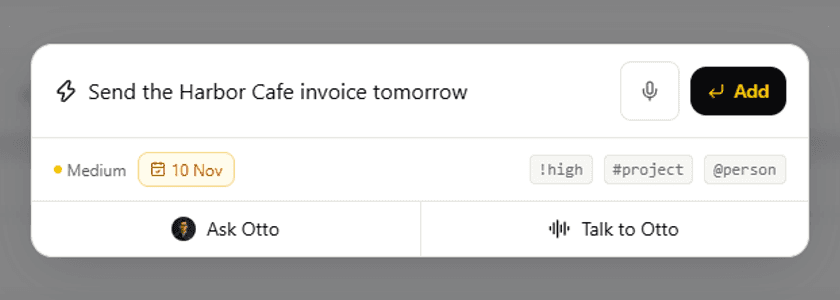
Say it once
Press Ctrl K or Cmd K anywhere in Taskly and type “Send the invoice tomorrow !high #Client”. The date, priority and project are picked up as you type. Rather talk? Tap the mic and ramble.
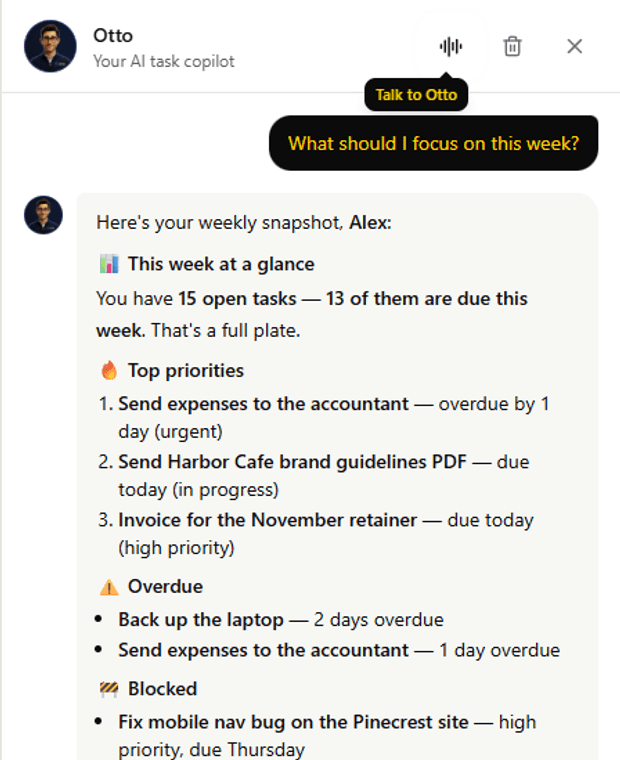
Otto drafts the plan
Otto splits a brain dump into separate tasks with priorities, subtasks and due dates. Ask what to focus on this week and it answers from your real list, not a generic template.
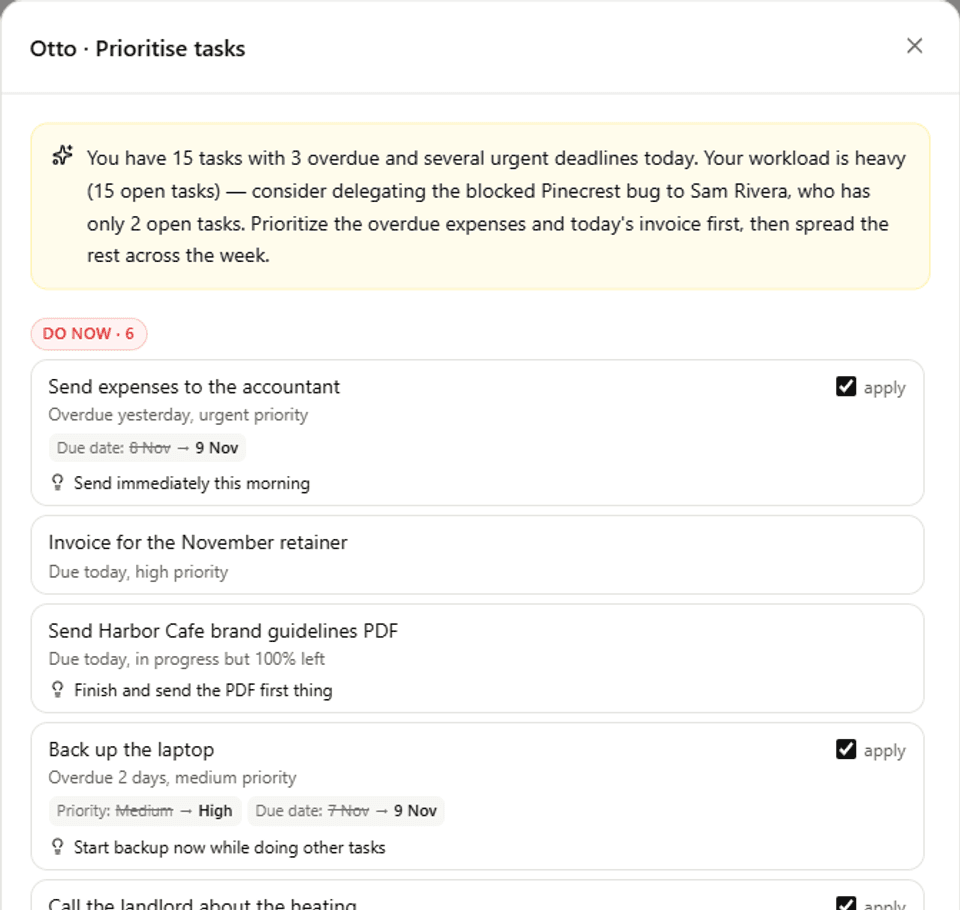
You approve, then get going
Every change Otto suggests arrives as a before and after. Apply it or discard it. Then work from one honest list, with a morning plan and an evening sweep.
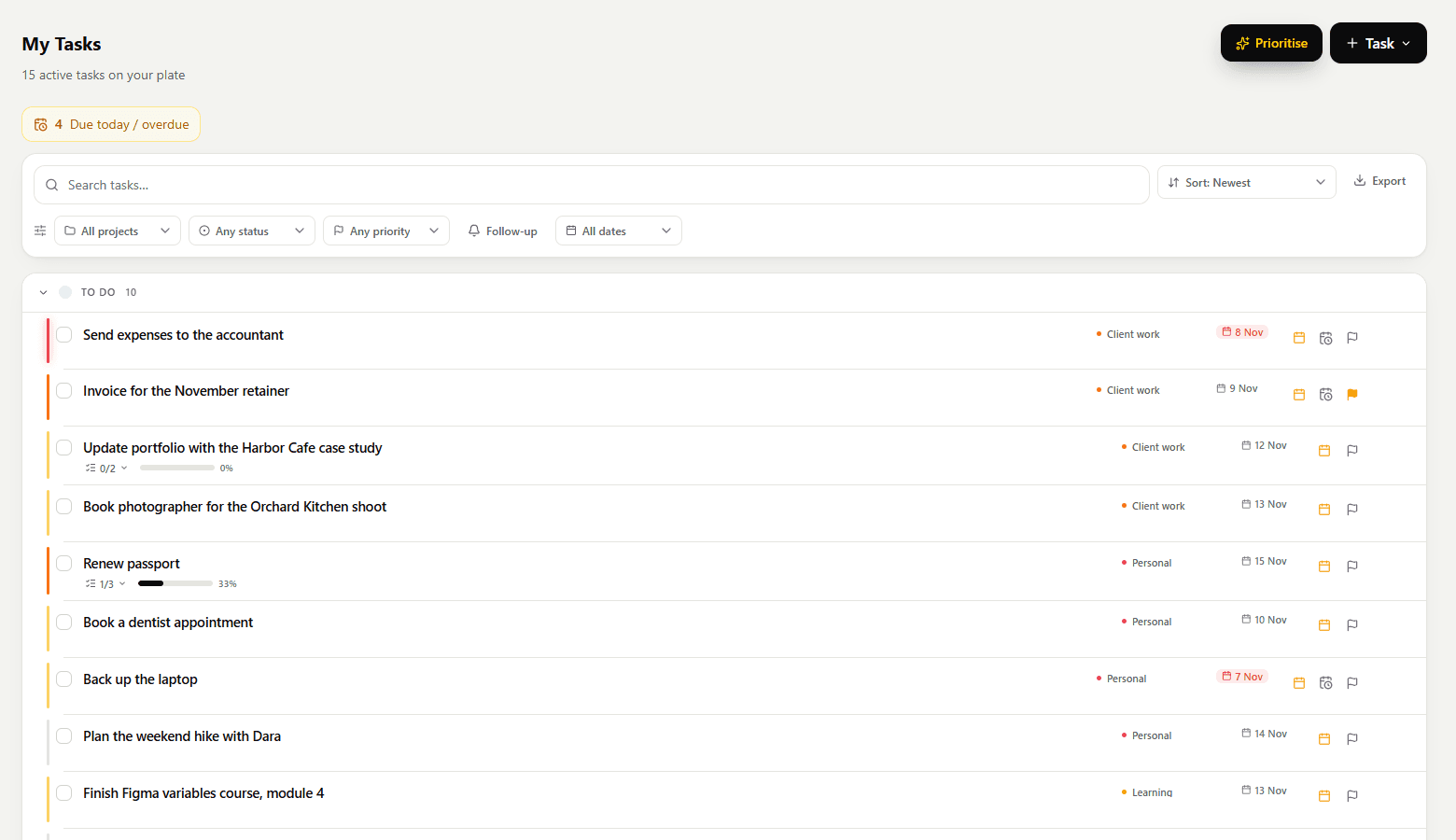
One tap to a sorted day.
Hit Prioritise and Otto ranks your whole list by due dates, work left, status and age. Then it groups everything into four lanes and waits for you.
- Do now
- This week
- Can wait
- Reconsider
Private, even from the AI. Every workspace is isolated at the database level, and the email addresses of people in your workspace are never sent to the AI model. How we handle data
Where are you headed?
Pick the one that sounds like you.
Calendar
Month, week, day
Boards
Your own statuses
Repeats
Every 3 days, Mondays, the 1st
Daily loop
Morning list, evening sweep
Voice
Ramble, Otto splits it
References
Links and files, filed
Phone
Installable web app
4 languages
EN, ES, DE, Persian
 Saba Majidi, founder
Built by one person, for one person first.
I’m Saba. I trained in counseling psychology, and I build Taskly in the evenings, around a full-time job. The first version took under a month. Every version since has been shaped by the people using it.
Most task apps are built for teams and meetings. Taskly is built for the moment you sit down and your head is full. If something gets in your way, tell me with Share feedback inside the app.
Free while we’re in early access.
The whole product, Otto included. Early users lock in early pricing when paid plans arrive.
StarterFare
FreeFor
You, plus anyone you add
- Lists, boards and calendar
- Subtasks, repeats and attachments
- Otto: create, edit and prioritise
- Voice capture and Ctrl K quick add
- Desk and phone, light and dark
- Add a teammate whenever you want
Boarding
Now
No card. Google or email.
Questions, answered.
What is Taskly?
Taskly is an AI-native task manager for individuals and small teams. You describe work in plain English and Otto, the built-in AI assistant, drafts the tasks (with lists, a Kanban board, subtasks and recurring tasks) for you to review and approve.
Can I use Taskly on my own, without a team?
Yes. Taskly starts as your own space, with lists, boards, subtasks, recurring tasks and Otto all working for one person. You can add a teammate later if you want to share work, but you never have to.
Can Otto turn a messy brain dump into a to-do list?
Yes. Paste or type everything on your mind in plain English and Otto proposes organized tasks with projects, priorities and due dates. You review the proposal and apply or discard it, so nothing is added without your say-so.
How much does Taskly cost?
Taskly is free while in early access: the whole product, including the Otto AI assistant, at no cost. Early adopters lock in preferential pricing when paid plans arrive.
Is my data private, even from the AI?
Yes. Every workspace is isolated at the database level with row-level security and encrypted in transit. The email addresses of the people in your workspace are never sent to the AI model. Otto works with stable pseudonyms instead.
How is Taskly different from Todoist, Jira or Trello?
Taskly sits between plain to-do apps or notes (light, but no real structure) and heavyweight tools like Jira (too much setup and config). You get boards, subtasks and recurrence without the overhead, plus an AI that does the organizing for you.
Empty your head. Otto sorts it.
Free in early access. No card. Sign in with Google or email.